Quick Actions
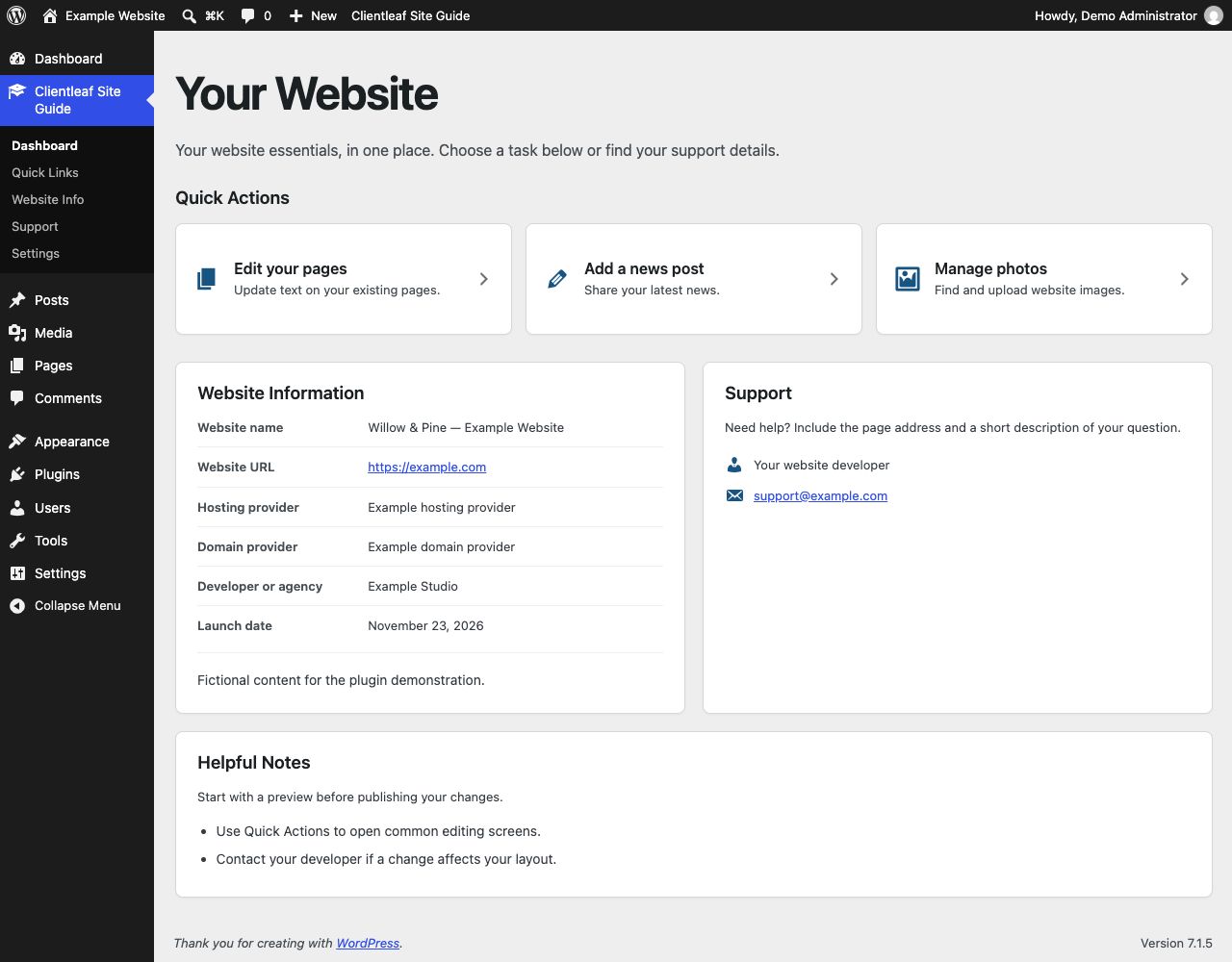
Link directly to common editing screens. Write clear labels and descriptions, then arrange them in the order that makes sense for your client.
 WORDPRESS PLUGINSVex Media
CLIENTLEAF / AVAILABLE NOW · FREE
Clientleaf Site Guide puts the everyday essentials in one place inside WordPress. Set it up for the site you built, and give your client a useful place to start.
SMALL PLUGIN. CLEAR PURPOSE.
Link directly to common editing screens. Write clear labels and descriptions, then arrange them in the order that makes sense for your client.
Keep the site name, domain and hosting providers, agency details and general notes together. Leave out fields you don’t need.
Add site-specific instructions using the visual editor. Use lists, emphasis and links without writing HTML.
Tell clients who to contact and what information to include. Contact links open their usual tools.
Choose the sections to show. Add an optional WordPress Dashboard widget and admin-toolbar shortcut.
Administrators configure the guide. Choose who can view it; editing shortcuts keep the user’s existing WordPress permissions.
In WordPress, open Plugins → Add Plugin and search for Clientleaf Site Guide. Install and activate it.
Configure editing links, website details, support contacts and helpful notes.
Sign in with the client’s intended role and test every shortcut before handing over.
GOOD TO KNOW
Yes. Clientleaf Site Guide is available free from the WordPress.org Plugin Directory.
Quick Actions open existing WordPress editing screens. The client makes and saves changes there, using their usual permissions. The guide itself does not edit or publish website content.
Site Guide collects no analytics or telemetry, makes no remote requests and creates no tracking cookies. Its settings stay inside the WordPress installation. No external account is required.
No. Keep credentials in a suitable password manager. The guide is for information appropriate for everyone allowed to view it.
The current release requires WordPress 7.1 or newer and PHP 8.1 or newer. Check the WordPress.org listing for the latest compatibility information.
Use the Clientleaf Site Guide support forum. The Support section inside your client’s dashboard is for the contact details you configure.
YOUR NEXT CLIENT HANDOVER